Service and Product Updates
Online Banking Enrollment Instructions
2 min read
TransPecos Bank
New to TransPecos Banks Online Banking? Enrollment is quick and easy. Just follow the steps below to get started.
- Open your internet browser
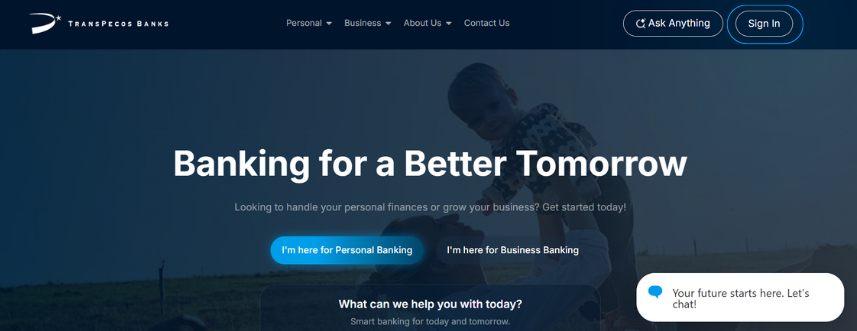
- Type in the bank’s website.
- At the top of the page, click “Sign In.”
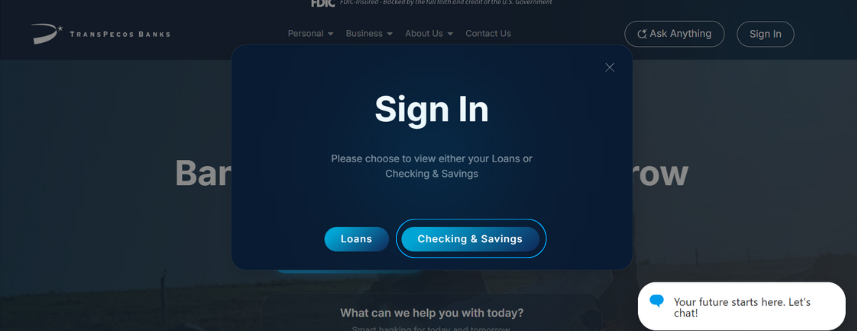
Step 2: Choose Your Account Type
- Click on “Checking/Savings”
- Continue if you have a personal account
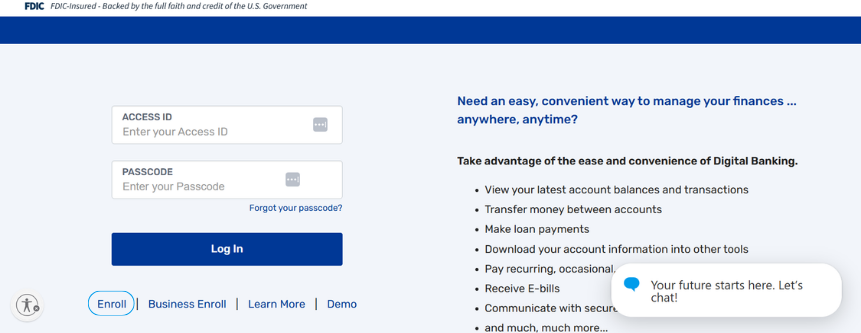
Step 3: Start Enrollment
- Click “Enroll in Online Banking.” to begin the process of creating your online account.
- Have your account number ready
- You can find it on a bank statement or check
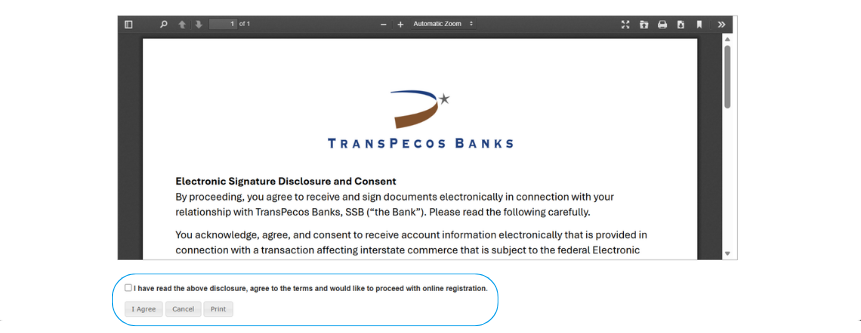
Step 4: Read and Agree to Terms
- Review the agreement shown on the screen.
- Click “Accept” or “Sign” to continue.
- This step confirms you agree to the bank’s rules for online banking.
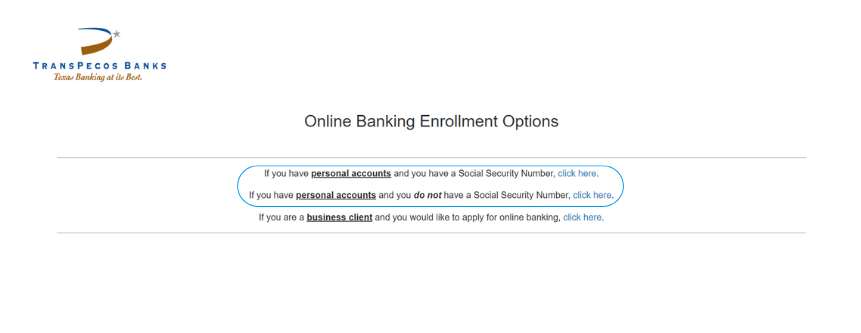
Step 5: Select Personal Account Type
- If you have a social security number, select the first option
- If you do not have a social security number, select the second option
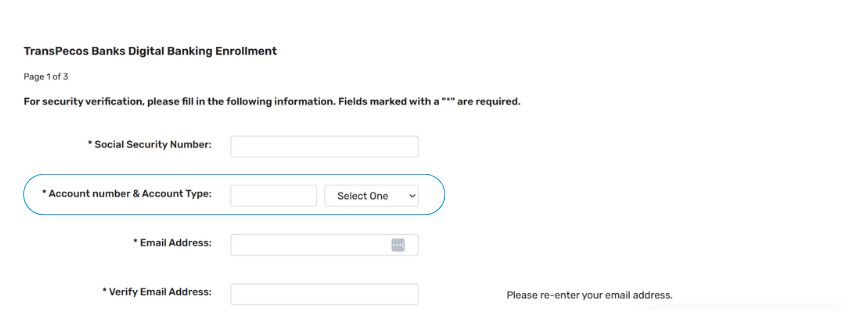
Step 6: Find Your Account Number
- You will need your account number to continue.
- This number can be found on either a check or bank statement
- Enter your account number exactly as shown.
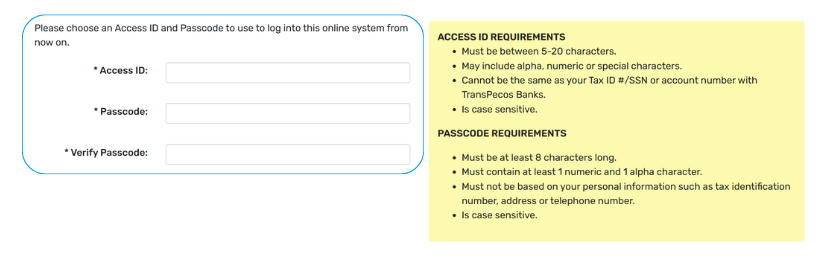
Step 7: Create an Access ID and Password
- Choose a username (thisname will be attached to your account
- Create a Passcode
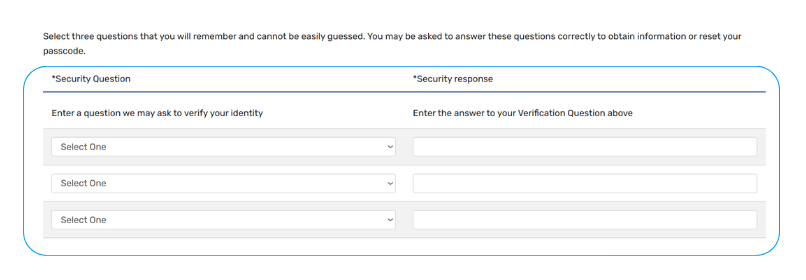
Step 8: Answer Security Questions and More
- Enter each account number you want to access online.
- Assign a nickname to each account (optional)
- Select the correct account type (Checking or Savings).
- Choose whether to enable BillPay (only available for checking accounts).
Step 9: Finish Account Setup
- Review all your information to make sure it is correct.
- Complete the verification step (this may include checking a box or confirming you are not a robot).
- Click “Submit” or “Continue” to finish.
Share this article
Similar News
- All Posts
- Back
- Service and Product Updates
- Community Engagement
- Bank News
- Cyber Security
- Regulatory and Compliance

Service and Product Updates Online Banking Enrollment Instructions 2 min read TransPecos Bank New to TransPecos Banks Online Banking? Enrollment...

Add Your Card to Apple Wallet or Google Pay. Once your digital card is visible, you can easily add it...

Brute Force Attack education. At TransPecos Banks, your security is always at the top of our list. One of the...

At TransPecos Bank, we know you want access to your money as conveniently as possible. At TransPecos Bank, we know...

Streamlining Finances: How QuickBooks and Quicken Integrations Empower Our Customers. At TransPecos Banks, we’re always striving to deliver innovative solutions...